
In the digital age, data drives everything—whether you’re a gamer, a creative professional, or a regular user, maintaining the health of your hard drives and SSDs is crucial.
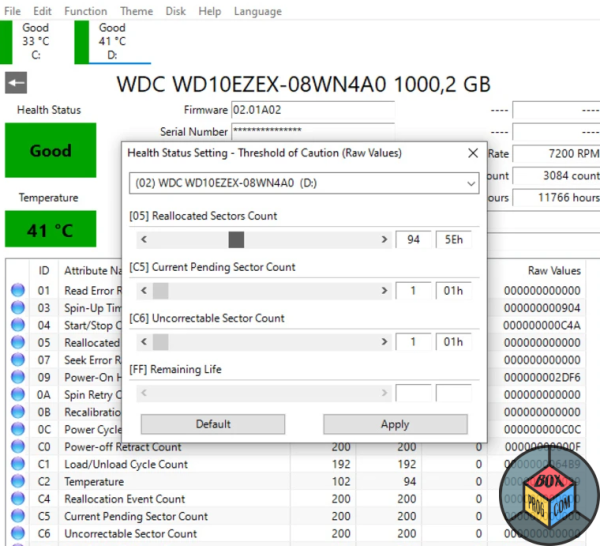
CrystalDiskInfo, a widely recognized disk monitoring utility, stands out as a reliable tool for keeping tabs on the performance and health of your storage devices. Here’s an in-depth look at what makes CrystalDiskInfo indispensable and how it can benefit every user.
What is CrystalDiskInfo?
CrystalDiskInfo is a free, lightweight application developed by hiyohiyo, designed to monitor and analyze the health and performance of storage devices. It supports a wide range of drives, including HDDs, SSDs, and hybrid drives, providing detailed insights into their functionality. Unlike generic monitoring tools, CrystalDiskInfo specializes in S.M.A.R.T. (Self-Monitoring, Analysis, and Reporting Technology) attributes, making it a must-have for anyone who values their data.
Key Features of CrystalDiskInfo
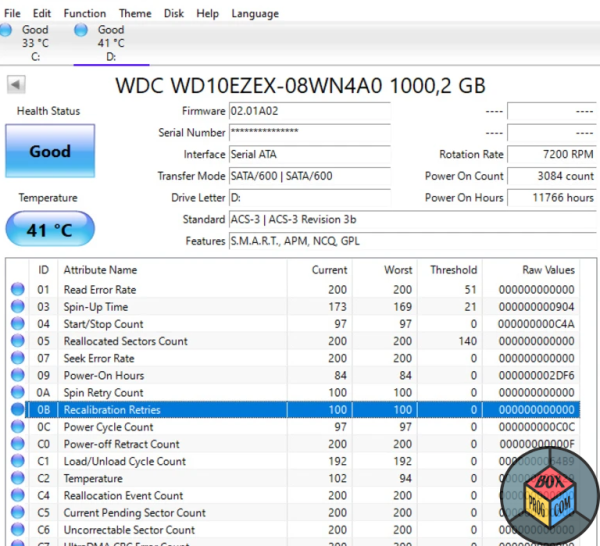
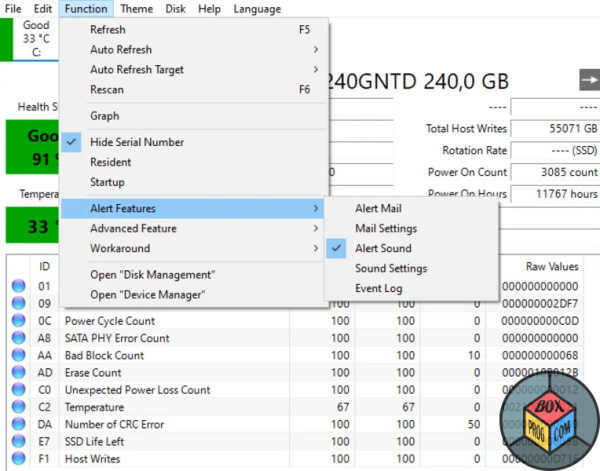
- S.M.A.R.T. Attribute Monitoring CrystalDiskInfo provides detailed metrics on drive health, including read error rates, temperature, power-on hours, and reallocated sectors. This information helps users detect early signs of drive failure.
- Temperature Monitoring Overheating can degrade performance and shorten the lifespan of a drive. CrystalDiskInfo constantly tracks temperatures, alerting users to potential overheating risks.
- Health Status Assessment With a simple interface, the software visually categorizes drive health as Good, Caution, or Bad, making it accessible for users of all technical levels.
- Wide Compatibility The tool supports a vast range of storage devices from leading manufacturers like Seagate, Western Digital, and Samsung. It even includes support for NVMe SSDs.
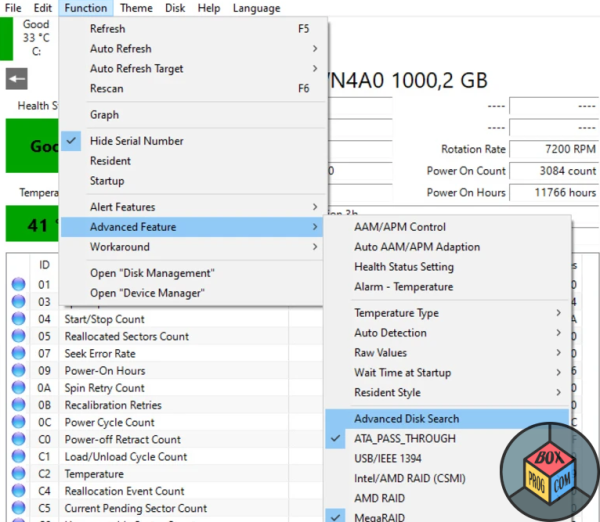
- Customizable Alerts Users can set up notifications for abnormal changes in drive performance or temperature, ensuring they can act before a failure occurs.
- Power Management Features For eco-conscious users or those looking to optimize power consumption, CrystalDiskInfo offers features to manage Advanced Power Management (APM) and Automatic Acoustic Management (AAM).
Why Use CrystalDiskInfo?
- Early Failure Detection Data loss is costly, whether personal or professional. CrystalDiskInfo identifies potential issues before they escalate, allowing you to back up your data.
- Ease of Use The intuitive interface is perfect for both tech-savvy users and beginners. Real-time data is presented in a clean, understandable format.
- Open-Source and Free CrystalDiskInfo is completely free, with no hidden costs, making it an ideal choice for budget-conscious users. Additionally, it is open-source, ensuring transparency and community-driven improvements.
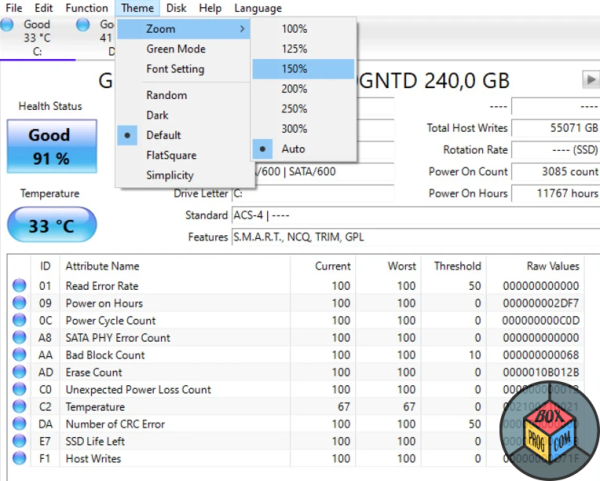
- Customizable Interface With themes and language support, the tool can be tailored to suit individual preferences, enhancing user experience.
How to Use CrystalDiskInfo?
- Download and Installation The software can be downloaded directly from the official website. Installation is straightforward and takes just a few minutes.
- Understanding the Interface Upon launching, the main dashboard displays essential details such as drive health, temperature, and S.M.A.R.T. attributes.
- Interpreting Data Users should pay attention to the health status and any highlighted attributes, as these indicate potential issues.
- Taking Action If CrystalDiskInfo flags a drive as “Caution” or “Bad,” it’s time to back up your data and consider replacing the drive.
Final Thoughts
CrystalDiskInfo is more than just a utility; it’s an essential tool for anyone who values their data. Its detailed reporting, real-time monitoring, and user-friendly interface make it a standout choice in the disk monitoring space. Whether you’re safeguarding priceless memories, ensuring the smooth operation of your gaming rig, or maintaining a professional workspace, CrystalDiskInfo delivers peace of mind.
With a proactive approach to drive health, CrystalDiskInfo not only helps avoid unexpected data loss but also extends the life of your storage devices. For a free tool, its comprehensive features rival even some paid alternatives.
If you’re serious about keeping your storage devices in top condition, CrystalDiskInfo is a tool you can’t afford to overlook. Download it today and take the first step toward a safer digital future.
Recommended Software for Windows:

Rise of Kingdoms free download pc version

LibreOffice download free for windows latest version

Vidmate download free full version

Figma download free latest version

Microsoft Office 2019 download free for Windows full version

FL Studio download free for Windows full version

Steam download free for windows latest version

CCleaner browser download free for windows latest version


 Loading...
хорошая програма.
подозреваю, что при ремонте мне установили плохой hdd, хочу проверить.
“I appreciate the detailed explanation, very helpful!”
“Thanks for sharing such valuable information!”