
OBS Studio is the best free open-source screen recorder and streaming software for Windows 11 in 2026 because it delivers low-overhead encoding without performance drops or forced paywalls.
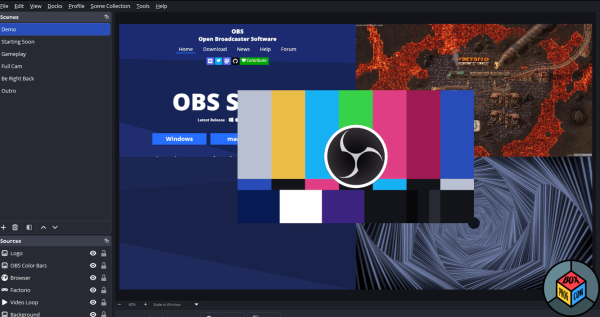
It gives PC gamers, broadcasters, and creators granular control over display capture, multi-track audio, and hardware-accelerated encoding. Here is our comprehensive review and official safe download guide.
Key Features & Capabilities
-
Game Capture: Records direct GPU framebuffers with minimal CPU load.
-
Hardware Encoding: Supports NVENC, AMD AMF, and Intel QSV hardware acceleration.
-
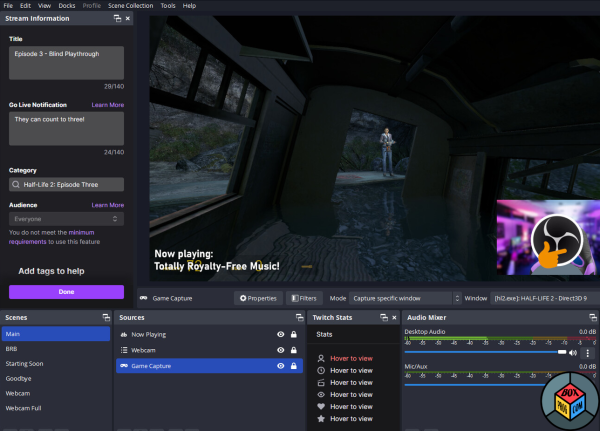
Audio Mixer: Features per-source filters including VST plugin support and noise suppression.
-
Scene Transitions: Switch seamlessly between customizable layouts using customizable hotkeys.
-
Virtual Camera: Outputs scene setups directly into Discord, Zoom, or Teams calls.
Is OBS Studio Safe and Secure?
OBS Studio contains zero malware, spyware, adware, or telemetry tracking. As an open-source project managed by the OBS Project and supported by industry sponsors, its source code is publicly audited worldwide.
Downloading setup files from third-party hubs or suspicious repack sites introduces the risk of bundled PUPs or compromised binaries. Boxprog validates official Windows installers using automated security scans, confirming a clean 0/70 rating on VirusTotal. Download strictly from official developer distribution endpoints.
Reddit Consensus: What Real Users Say
PC users on subreddits like r/sysadmin, r/software, and r/obs overwhelmingly praise OBS Studio for its stability, zero cost, and deep plugin ecosystem. Syadmins and power users highlight the utility of hardware-accelerated NVENC encoding for recording smooth 4K gameplay with virtually no frame rate drop. The primary community complaints revolve around the initial learning curve, particularly when configuring complex audio routing or resolving black screen capture issues on laptops running dual graphics cards (Intel iGPU + dedicated NVIDIA GPU).
System Requirements for Windows 11
-
Processor: Intel Core i5 8th Gen / AMD Ryzen 3000 series or better
-
RAM: 8 GB minimum (16 GB recommended for high-bitrate 4K streams)
-
Graphics Card: NVIDIA GTX 10-series / AMD Radeon RX 500-series (DirectX 12 compatible)
-
Storage: 2 GB free space
-
OS Version: Windows 11 or Windows 10 (64-bit only)
Top 3 Free Alternatives
-
Streamlabs Desktop: Best for novice streamers who want pre-built overlay templates and integrated alerts.
-
NVIDIA ShadowPlay: Best for GeForce GPU owners seeking instant background replay recording with zero setup.
-
ShareX: Best for lightweight screen captures, quick desktop recording, and instant file uploads.
Frequently Asked Questions (FAQ)
-
Is OBS Studio completely free? Yes, the software is 100% free and open-source with no premium tiers or hidden costs. You get unlimited access to all streaming, recording, and encoding features.
-
Does OBS Studio contain viruses? No, the official Windows installer is completely clean and virus-free. Always verify that your download originates from the official domain.
-
Can I use OBS Studio offline? Yes, desktop screen recording and video capture function offline without an internet connection. Network access is only required for broadcasting live streams.
Download Block
Download OBS Studio Safely from Official Sources
-
Download for Windows 11: Get Official Windows Installer Here
Recommended Software for Windows:

How to Download and Install War Thunder on PC Safely

Driver Booster free download for windows latest version

Blanc vpn desktop download free windows

3uTools for pc download free full version

CrystalDiskInfo download free for pc full version

Total Commander free download for pc full version

World of Warships download pc free windows

Surfshark VPN free download for Windows


 Loading...