
Surfshark is a high-speed virtual private network designed for modern Windows 11 PCs. It stands out in the VPN market by providing unlimited device connections under a single account, allowing you to secure your laptops, smartphones, tablets, and smart TVs without paying extra fees or tracking device limits.
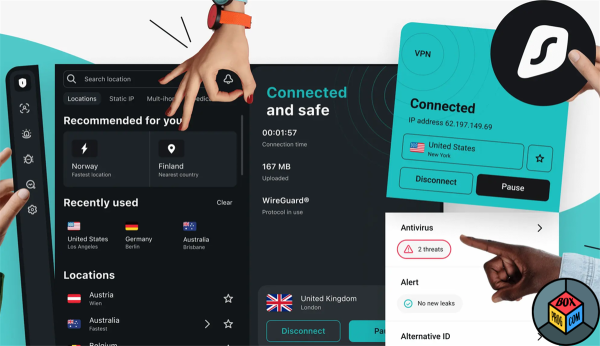
Engineered with 10Gbps server hardware and full support for both x64 and ARM64 architectures (including Snapdragon-powered laptops and Surface devices), Surfshark delivers top-tier encryption without degrading your system’s performance.
Technical Specifications & Compatibility
-
Supported Operating Systems: Windows 11, Windows 10 (64-bit)
-
Hardware Architectures: Intel/AMD (x64) and ARM-based devices (ARM64)
-
Core Protocols: WireGuard (recommended), OpenVPN (UDP/TCP), IKEv2
-
Server Infrastructure: 4,500+ RAM-only servers across 100 countries
-
Disk Footprint: ~350 MB free disk space required
How to Install Surfshark on Windows 11
Direct Setup
-
Download the Installer: Grab the
.exesetup package directly from the official Surfshark website. -
Run Installation: Double-click
Surfshark.Setup.exeand grant Windows User Account Control (UAC) permissions. -
Connect: Open the app, log into your account, and hit Quick-Connect to instantly route your internet traffic through the fastest nearby server.
Microsoft Store Alternative
Search for Surfshark VPN directly in the Windows 11 Microsoft Store app and click Get to deploy the verified application seamlessly.
Key Features for Windows 11 Users
-
CleanWeb: Blocks domain-level advertisements, online trackers, malware links, and phishing attempts before they render on your screen.
-
Kill Switch: Automatically cuts off all internet traffic if your VPN connection drops unexpectedly, preventing accidental IP or location leaks.
-
Bypasser (Split Tunneling): Gives you precise control to exclude specific local applications, streaming games, or online banking sites from the encrypted tunnel.
-
MultiHop & IP Rotator: Routes traffic through two servers for double encryption or periodically alters your IP address every few minutes to defeat digital tracking.
-
Obfuscation (Camouflage Mode): Disguises VPN traffic as standard web traffic to bypass strict network firewalls on public Wi-Fi or restricted networks.
Performance Optimization Tips
-
Use the WireGuard Protocol: For maximum download speeds and minimal gaming latency on Windows 11, ensure WireGuard is selected in Settings -> VPN Settings.
-
Enable Auto-Connect: Configure Surfshark to launch and connect automatically whenever your PC connects to unsecured Wi-Fi networks.
-
Exclude Local Devices: Use Bypasser to allow your Windows 11 system to access local network printers, smart home hubs, and NAS drives without interference.
Frequently Asked Questions
Does Surfshark support native ARM devices running Windows 11?
Yes. Surfshark features full native compatibility with ARM64 processors, delivering optimized performance and long battery life on ARM-powered Windows laptops.
Is there a free version of Surfshark for Windows 11?
While the desktop client is free to download, using the server network requires an active subscription or a 7-day mobile free trial signup. All plans include a 30-day money-back guarantee.
Does Surfshark store my internet activity?
No. Surfshark maintains an independently audited no-logs policy. Additionally, all servers operate exclusively on volatile RAM memory, meaning all server data is completely wiped every time a server restarts.
Verdict
Surfshark is a top-tier VPN solution for Windows 11. It combines ultra-fast WireGuard speeds, simple UI design, strong security options, and unlimited device protection into an affordable, high-performance package.
Recommended Software for Windows:

GTA 5 - Grand Theft Auto download for PC Free

Star Trek Fleet Command download free latest version

Norton Antivirus free download full version

How to Download and Install NordPass Safely on Windows

Steam download free for windows latest version

PureVPN free download for pc latest version

Recuva download free full version

WinRAR download free for PC Windows


 Loading...